

Charge the right delivery fee for every address.
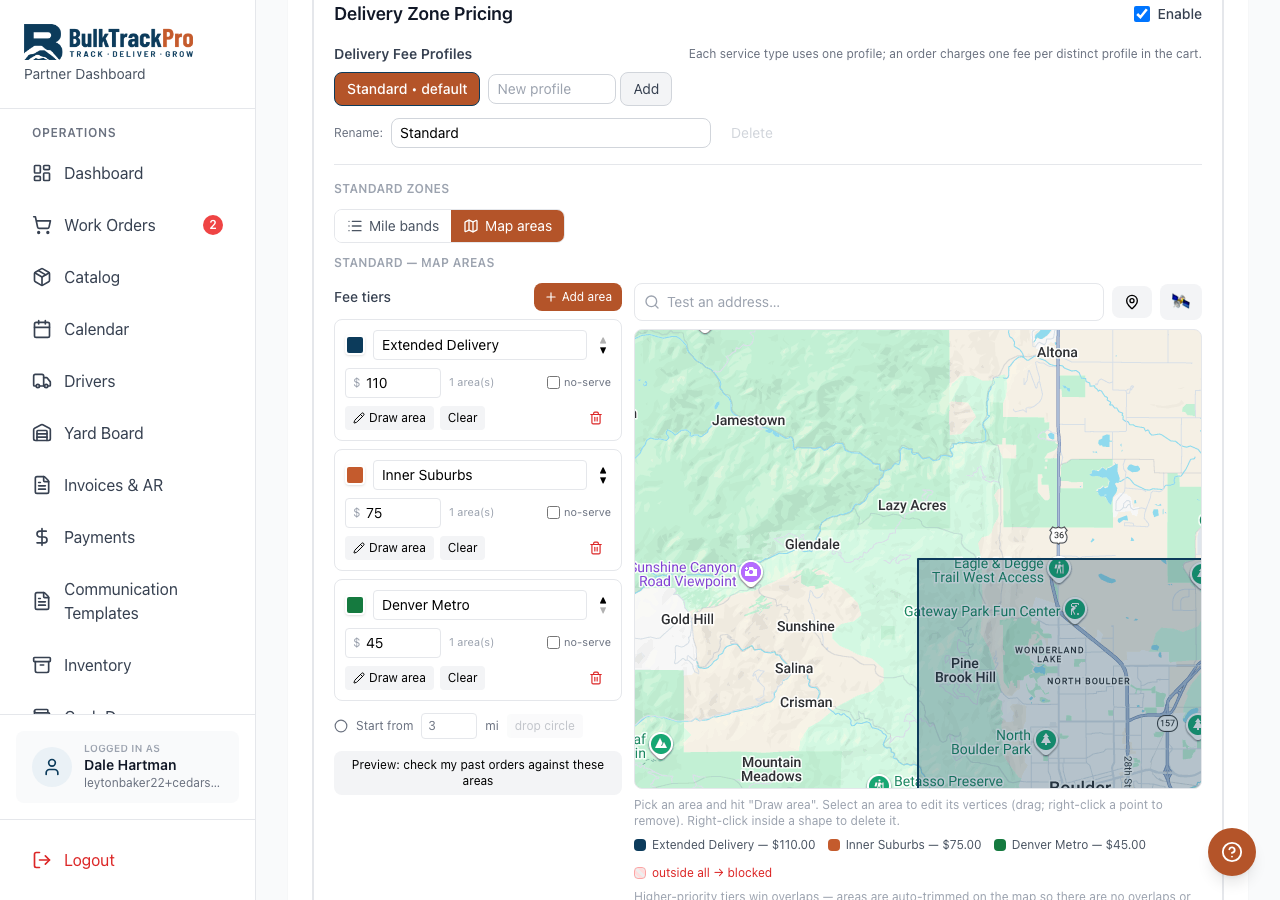
Delivery zone pricing lets you draw delivery areas on a map or set mileage bands and attach a delivery fee to each one. You can type in any address and see the fee it lands on. Minimums and a service radius keep orders that are too small or too far from ever reaching your board.
Built into the platform.
Price delivery by distance
A drop three miles out and a drop thirty miles out should not cost the same. Zones and mileage bands charge each one what it actually costs to run.
Protect your margin
When the delivery fee matches the drive, a far load stops eating the profit on the material. You quit losing money on the trucks.
Test any address
Type in a customer address and see exactly which zone it falls in and what fee it gets, so quotes are consistent no matter who takes the order.
Stop out-of-area orders
Set a service radius and order minimums so a job outside your range or below your floor never lands on the board in the first place.
From map to fee.
Draw your zones
Draw delivery areas on the map or set mileage bands out from the yard, whichever fits how you price.
Set a fee per zone
Attach a delivery fee to each zone or band, and set minimums and a service radius to guard the edges.
Test an address
Type in any address to confirm which zone it lands in and what fee it draws before you quote it.
Fees apply at order time
When a customer or your team places an order, the right delivery fee applies by address automatically.
Questions, answered.
Do I have to draw zones, or can I use mileage?+
Either one. Draw delivery areas on the map, or set mileage bands out from the yard. Both attach a delivery fee that applies by address.
Can I check the fee for a specific address?+
Yes. Type in any address and BulkTrackPro shows which zone it falls in and the exact delivery fee, so quotes stay consistent.
How do I stop orders that are too far away?+
Set a service radius. Addresses outside it are blocked from ordering, so you never get stuck with a drop you cannot run at a profit.
Can I require a minimum order for delivery?+
Yes. Set order minimums per zone so a load that is too small to justify the truck does not make it onto the board.
Charge for delivery by the mile, not by feel.
Delivery Zone Pricing is one piece of the platform built for mulch, topsoil, gravel, and aggregate suppliers. Book a demo and see it running with your own products.